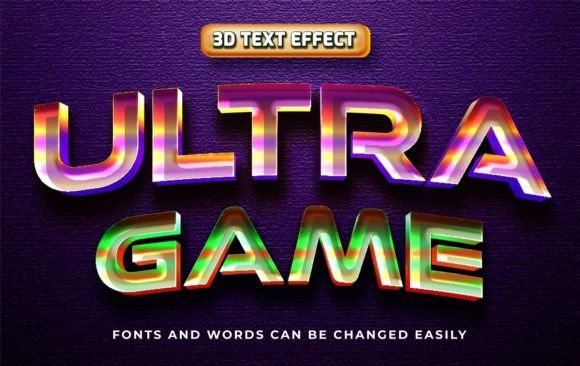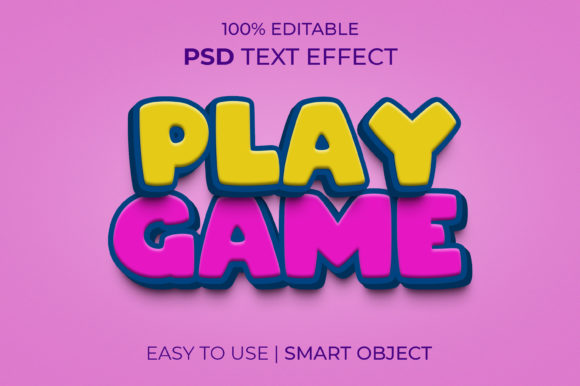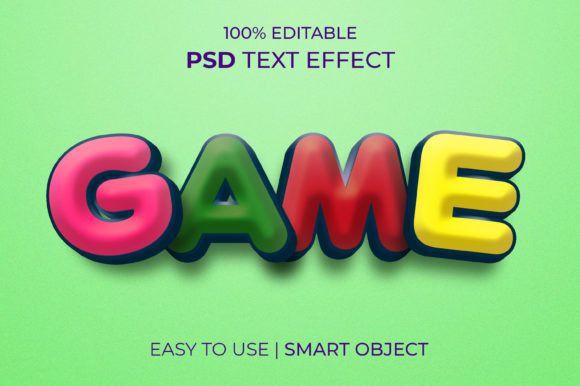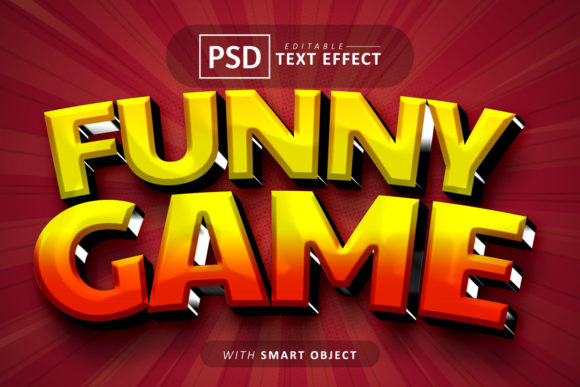
Game 3D Text Effect Style: Instant Visual Impact for Your Projects
Ever spent hours wrestling with layer styles and blending options in Photoshop, trying to craft that perfect glossy, dimensional text effect for a client's logo or a YouTube thumbnail? You know the look—that polished, high-impact 3D style that instantly grabs attention and screams professionalism. Achieving this from scratch demands a solid understanding of light, shadow, and Photoshop's more complex tools. What if you could apply that same stunning, multi-layered effect to any text in seconds, with professional results guaranteed? That's the promise of a well-crafted editable PSD template, a resource that can fundamentally change your workflow and the quality of your output.
More Than Just a Pretty Effect
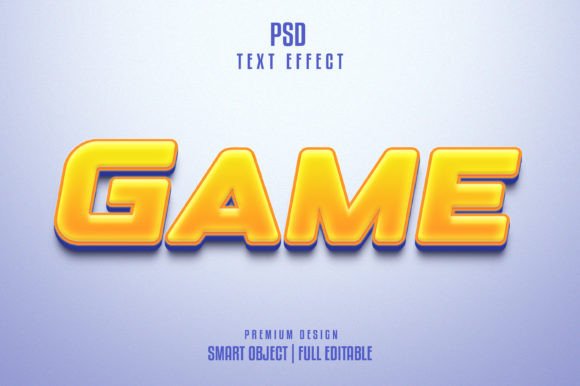
A premium text effect template like this Game 3D Text Effect Style isn't a simple filter. It's a fully realized design system contained within a single PSD file. At its core, it leverages Photoshop's Smart Objects. This means you double-click a layer, type your own text or paste your logo, save, and the entire complex 3D effect—bevels, shadows, highlights, reflections, and textures—updates instantly to wrap around your specific design. The value here is immense. You're not just buying a static image; you're acquiring a dynamic tool. The 2000x1331px canvas at 300 DPI ensures your creations are print-ready from the start, eliminating the need for last-minute upscaling or quality compromises for physical materials like posters, packaging, or merchandise.
The Anatomy of a Useful Design Asset
What separates a good design asset from a frustrating one? Organization and flexibility. This resource is described as "well-layered & organized in groups," which is critical. Imagine needing to adjust the color of the main text face separately from the shadow, or wanting to tweak the intensity of the specular highlight. A logically structured file lets you do this without digging through a chaotic layers panel. The inclusion of a free font is a thoughtful touch, removing a potential licensing hurdle and ensuring the effect looks exactly as advertised from the moment you open the file. However, the true power lies in its editability. You can apply this high-quality effect to any font you own—serif, sans serif, script, or display—to match your existing brand typography or a new project's vibe.
Where This Text Effect Truly Shines: Practical Applications
The versatility of an editable 3D text effect is what makes it a worthwhile investment. Let's move beyond the abstract and look at concrete uses across various creative fields.
For Branding and Logo Design: While a logo's primary form should be simple and scalable, having a stylized version for specific contexts is powerful. Use this effect to create a bold, metallic version of your wordmark for a website hero section, a presentation title slide, or the cover of a branded proposal. It adds a layer of depth and prestige that flat colors cannot achieve.
For Digital Marketing & Social Media: In the crowded space of a social feed, you have milliseconds to capture interest. Apply this effect to key phrases in Instagram stories, Facebook ad graphics, or YouTube video titles. The glossy, dimensional look naturally draws the eye, increasing click-through rates and engagement. It's perfect for announcing sales, new product launches, or important updates.
For Packaging and Merchandise: Physical products demand tactile appeal, and great design can simulate that on screen. Use the effect to mock up product names on boxes, labels, or apparel. The 300 DPI, RGB file is perfectly suited for generating print-ready artwork or high-fidelity mockups for client presentations or your own e-commerce store.
For Editorial and Web Design: Break the monotony of standard web typography. Apply it to section headings on a landing page or to the title of a featured blog post to create a strong visual hierarchy. For editorial layouts in digital magazines or PDF lookbooks, it can add a dynamic, contemporary feel to feature stories or chapter openers.
Choosing and Using Your Text Effect Wisely
Having a powerful tool is one thing; using it effectively is another. Here’s how to integrate a resource like this into your projects with intention.
Match the Style to the Message: The "Game 3D" style implies energy, modernity, and a digital or entertainment context. It's ideal for tech brands, gaming channels, fitness brands, or music artists. It might be less suitable for a traditional law firm or a vintage bakery, where a more subdued, classic treatment would align better with brand values. Always ask: does this visual style support the story I'm trying to tell?
Prioritize Readability: A dazzling effect is useless if the text can't be read. Test your final design at smaller sizes, especially for use as social media thumbnails or website banners. The built-in depth and shadow should aid readability, but complex script fonts might become muddled. Pair this stylized heading with clean, simple body text—like a modern sans serif—to create a balanced and legible layout.
Respect the License: A crucial, often overlooked step. Ensure the template comes with a commercial license that covers your intended use. Can you use it in an end product for a client? Can you sell merchandise featuring the styled text? Clarifying this upfront protects you and your business from legal issues down the line.
Ultimately, a high-quality, editable PSD text effect template is a force multiplier for your creative work. It saves countless hours of technical labor, provides a consistent and professional result, and empowers you to produce eye-catching graphics across a multitude of platforms. By understanding its capabilities and applying it thoughtfully, you can elevate your visual communication, strengthen brand recognition, and engage your audience more effectively—whether you're a seasoned designer streamlining your process or an entrepreneur building your brand's visual identity from the ground up.