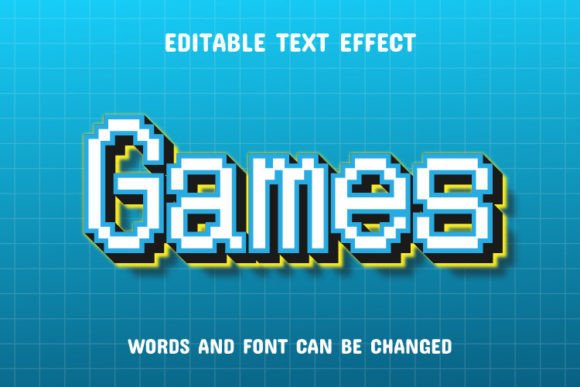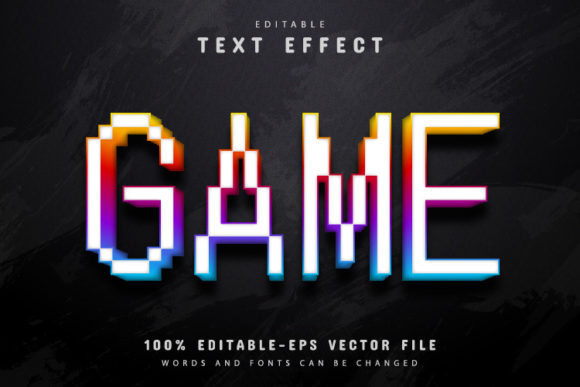
Game Pixel Text Effect: A Retro Design Asset for Modern Projects
There’s something instantly recognizable about the blocky, crisp aesthetic of pixel art. It evokes a sense of nostalgia for classic arcade cabinets and early computer graphics, yet it remains a powerful visual language in contemporary design. If you’re looking to tap into this style for your branding, social media, or merchandise, a specialized tool like the Game Pixel Text Effect can be a game-changer. This isn't just a static image; it's a fully editable vector design asset that offers surprising flexibility for creators at any skill level.
More Than Just a Nostalgic Look
At its core, the Game Pixel Text Effect transforms standard typography into a vibrant, retro-gaming inspired display font. The visual appeal lies in its structured, grid-like forms and the potential for bold color blocking. It’s designed to mimic the look of classic video game titles, making it perfect for projects that need to convey energy, fun, and a touch of digital heritage. However, its utility extends far beyond just mimicking an 8-bit past. In a design landscape saturated with sleek, minimalist sans serif fonts, a well-executed pixel typeface can cut through the noise and create an immediate emotional connection with an audience that shares that cultural reference.
The true value of this particular asset, available in both EPS and JPG formats, is its 100% editable vector foundation. This means you are not locked into a single size or color scheme. You can scale the design from a small social media icon to a massive trade show banner without any loss of quality—a critical feature for maintaining a professional presentation across all media. The text itself is fully editable within Adobe Illustrator (CS or higher), allowing you to plug in your own brand name, slogan, or headline directly into the effect.
Practical Applications for Your Brand and Business
Understanding where to use such a distinct design asset is key to leveraging it effectively. Its personality makes it particularly suited for specific contexts where clarity and character are paramount.
For branding and logo design, the Game Pixel Text Effect can help a startup or a niche business stand out. Imagine a retro gaming café, a tech podcast, an indie game developer, or a children’s educational app using this style. It immediately communicates the brand’s domain and personality. The ability to create unlimited color variations within Illustrator means you can test different palettes to match your existing brand identity or create entirely new ones for a product line.
In packaging design, especially for products targeting gamers, hobbyists, or a younger demographic, this text effect can make a product pop on the shelf. It works exceptionally well for snack foods, energy drinks, or toy packaging where a playful, bold aesthetic is desired. Similarly, for social media graphics and website banners, it’s perfect for announcing sales, launching new blog posts about gaming culture, or creating engaging Instagram stories and YouTube thumbnails. The high-contrast, blocky nature of the text ensures readability even at smaller sizes on mobile feeds.
Beyond digital, consider its use in print materials like event posters for LAN parties or gaming tournaments, merchandise such as t-shirts and stickers, or even invitations for a themed birthday party. The included EPS file ensures print shops can handle the artwork seamlessly, maintaining crisp edges.
Integrating the Effect into Your Design Workflow
A common concern with specialized text effects is the learning curve. This asset is designed with accessibility in mind, featuring an easy-to-edit structure that requires no advanced skill requirement. The process is straightforward: open the file in Adobe Illustrator, select the Type Tool (simply press “T” on your keyboard), click on the text, and type your desired words. The pixel effect applies automatically to your new input.
This simplicity allows for rapid prototyping. You can quickly mock up different wording for a logo or test various headlines for a marketing campaign. The font info provided, which typically includes links to free fonts, ensures you can maintain consistency if you need to use the base typeface in other parts of your project for body text or supporting graphics.
Considerations for Effective Use
While the effect is versatile, thoughtful application will yield the best results. First, readability is paramount. Pixel fonts excel in headlines and short bursts of text but can become challenging to read in long paragraphs. Use it for impact, not for body copy. Second, font pairing is crucial. To avoid visual chaos, pair your new pixel headline with a clean, simple sans serif or a neutral serif font for supporting text. This creates a hierarchy and guides the viewer’s eye. Third, always test your design at the intended output size. What looks sharp on screen might need adjustment for a printed poster versus a mobile app icon.
Finally, while the asset is free to download and use in your projects, it’s always wise to review the licensing for any included fonts to ensure they are cleared for your specific commercial use, whether for a client project or your own merchandise. This due diligence protects your business and ensures a smooth creative process.
In essence, the Game Pixel Text Effect is more than a novelty; it’s a practical, editable design asset that bridges retro charm with modern flexibility. It empowers you to inject a specific, engaging visual personality into a wide array of projects, helping to build a cohesive and memorable brand identity in a crowded digital world.